
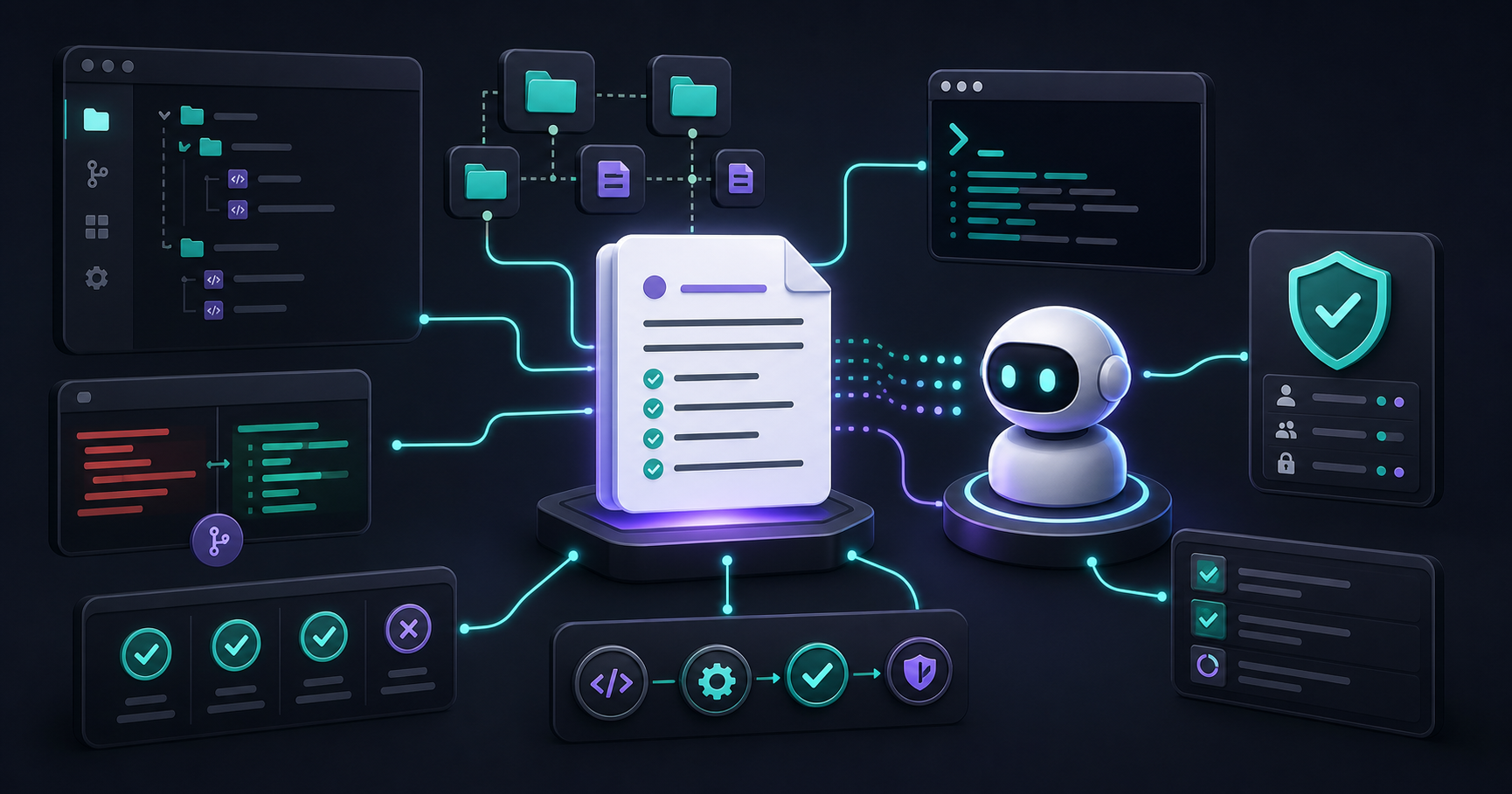
Your AI Agent Is Only as Smart as the Rules You Wrote for It
A coding agent without project context is a confident stranger. It will write valid code that ignores your conventions, adds the wrong abstraction, hardcodes a string that should be translated, or refactors a function that was intentionally simple. It is not being careless — it simply does not know what you know.
AGENTS.md, CLAUDE.md, and repository instruction files exist to close that gap. They are not documentation for humans; they are executable context for a system that acts on your codebase. Written well, they prevent entire categories of mistakes before the agent ever touches a file.
Know Your File: AGENTS.md vs CLAUDE.md vs Copilot Instructions
These three file types serve the same role but target different tools:
AGENTS.md is the standard adopted by OpenAI's Codex and compatible agents. It lives at the repository root and is loaded automatically at session start. Use it when your team works with Codex CLI or any agent that follows the AGENTS.md convention.
CLAUDE.md (or .claude/CLAUDE.md) is Anthropic's equivalent for Claude Code. It supports multiple files: a project-level CLAUDE.md, a user-level file in ~/.claude/, and sub-directory files that override the parent for specific areas of the codebase.
.github/copilot-instructions.md is GitHub Copilot's version. It is loaded for every Copilot Chat session in that repository and also works inside VS Code and JetBrains plugins.
They are not mutually exclusive. A well-maintained repo might have all three, with shared content kept in a single rules/Context.md that each file references.
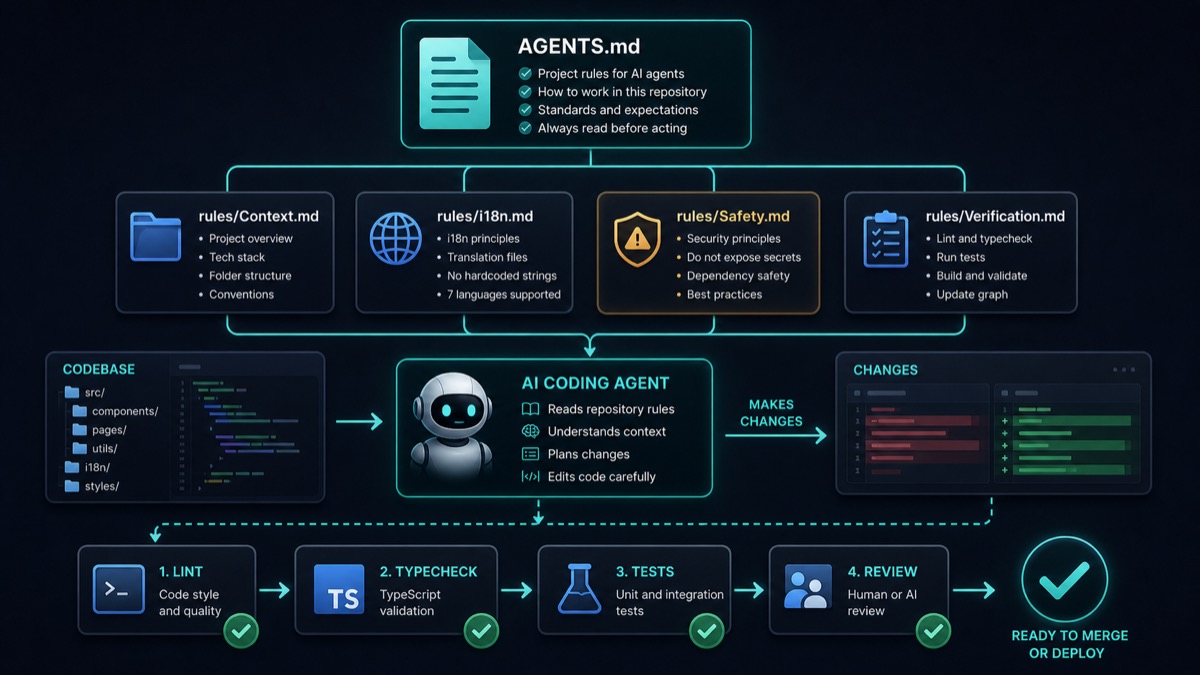
A strong instruction system gives the agent context before it edits, and verification gates after it edits.
The Four Layers of a Good Instruction File
Think of your instruction file as having four layers, from outermost to innermost:
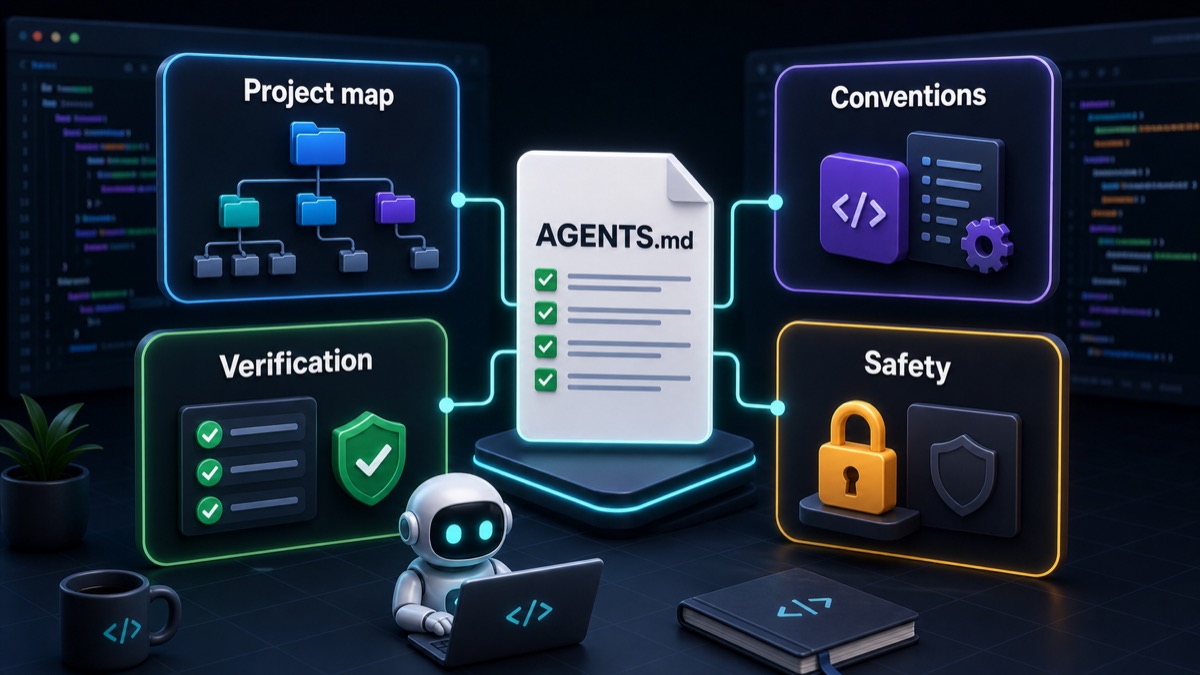
The best rules are not a wall of text; they are a small operating system for the agent.
Layer 1 — Project map. What is this codebase, what stack does it use, and where do the important files live?
## Project Overview
React 19 + TypeScript 5 + Vite 7. Deployed on Vercel.
- Tools live in src/tools/<name>/index.tsx
- i18n files: src/i18n/[lang].json (UI) and src/i18n/content-[lang].json (SEO)
- Blog posts: src/content/blog/posts/*.md (YAML frontmatter, 7 language keys)
- Read rules/Context.md before any change.
Layer 2 — Conventions. What patterns must the agent follow that are not obvious from the code?
## Conventions
- All user-facing strings MUST be added to all 7 i18n files (en, es, fr, de, it, nl, pt).
  Never hardcode UI text.
- New tools must be registered in src/core/toolRegistry.ts.
- Blog posts require a cover image under public/blog/covers/<slug>.png.
Layer 3 — Verification. What commands prove a change is production-ready?
## Before Finishing Any Change
1. npm run lint — fix all errors, not warnings
2. npm run typecheck — zero type errors allowed
3. If UI changed: verify the component renders in dev server
4. If blog post added: verify all 7 language keys are present
5. Run /graphify . to update the project dependency graph
Layer 4 — Safety boundaries. What must the agent never do, regardless of instructions?
## Hard Limits
- Do NOT remove or modify AdSense/Monetag ad components.
- Do NOT hardcode secrets or API keys.
- Do NOT run git push, git reset --hard, or database migrations without explicit approval.
- Do NOT refactor files unrelated to the current task.
Rules: Good vs. Bad
The difference between a useful rule and a useless one is almost always specificity.
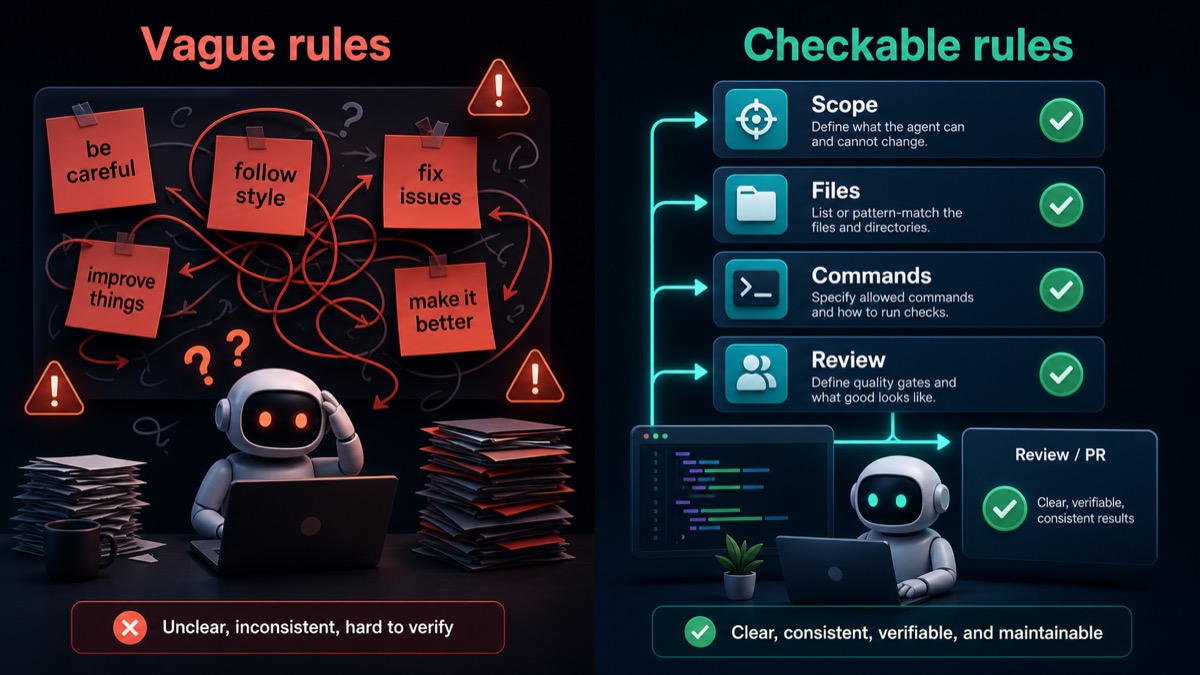
Vague rules ask the agent to guess; checkable rules tell it what to change, where to look and how to prove it worked.
❌ Bad rule — abstract and uncheckable:
Make sure translations are complete.
Why it fails: The agent cannot verify this. "Complete" is undefined. Which files? Which keys?
✅ Good rule — specific and verifiable:
After adding any user-facing string, add the key to ALL of these files:
src/i18n/en.json, es.json, fr.json, de.json, it.json, nl.json, pt.json
Run npm run typecheck — a missing key will cause a type error.
❌ Bad rule — permissive by omission:
Follow the existing code style.
Why it fails: If the existing code is inconsistent (it usually is), this is no constraint at all.
✅ Good rule — explicit with examples:
## Code Style
- Use named exports, not default exports, for utilities.
- Use Tailwind utility classes only — no inline styles, no CSS modules.
- Component files: PascalCase. Utility files: camelCase.
- Error: @typescript-eslint/no-explicit-any — never use `any`. Use `unknown` and narrow.
❌ Bad safety rule — vague:
Be careful with destructive operations.
✅ Good safety rule — enumerated:
## Forbidden Without Explicit Approval
- git reset, git push --force, git clean
- DROP TABLE, DELETE without WHERE, database schema changes
- Removing or disabling ad components (AdSense, Monetag)
- Publishing or committing .env files
Practical Use Cases
Use case 1: Multilingual project. The most common mistake on a multilingual codebase is adding a string to one language file and assuming it is done. Write a rule that names every language file and ties completion to a typecheck that fails when keys are missing.
Use case 2: Tool registry. If your project has a central registry where new features must be registered, the agent will not know this unless you say so. Name the file, the format, and give an example entry. Agents that fail to register a tool create unreachable features — a bug that lint and typecheck never catch.
Use case 3: Blog or content pipeline. Content pipelines usually have hidden steps: cover images, SEO metadata, changelog entries, sitemap updates. Write a checklist for each content type, not a general "remember to update everything".
Use case 4: Dependency rules. If your project forbids certain packages, name them. "Do not add moment.js (use date-fns, already installed)" is a rule that saves a PR review.
Common Mistakes
Mistake 1 — Writing rules for the ideal agent, not the real one. If your rule assumes the agent will "understand" vague intent, it will fail. Rules must be concrete enough that you could check them with a script.
Mistake 2 — Putting everything in one giant file. A 500-line instruction file becomes noise. Use a short main file that references domain-specific sub-files (rules/Context.md, rules/i18n.md, etc.).
Mistake 3 — Never updating the rules. Rules written six months ago reflect a codebase that may no longer exist. Add rule updates to your PR checklist: if you change a convention, update the instruction file in the same commit.
Mistake 4 — No verification layer. Rules without a verification step are hopes, not constraints. Every rule should have a corresponding check: a lint rule, a typecheck, a test, or a script.
Mistake 5 — Forgetting the agent's scope. An agent instructed to "fix the bug in the login page" should not also refactor the authentication module. Scope constraints in your instruction file prevent cascading changes that are hard to review.
Instruction File Checklist:
- Project overview: stack, folder structure, key files named explicitly
- Conventions: i18n rules, naming, patterns, imports
- Verification: commands listed with when to run them
- Safety: forbidden actions enumerated, not described vaguely
- Rules are short enough to scan in under 2 minutes
- Sub-files used for domain-specific rules (i18n, content, tooling)
- File is updated when conventions change
Conclusion: Rules Are the Cheapest Form of Code Review
Every mistake your AI agent makes that a good instruction file would have prevented is a PR review you did not need to write, a bug you did not need to debug, and a revert you did not need to do. The ten minutes it takes to write a precise rule pays back every time that rule fires.
Start with the four layers: project map, conventions, verification, safety. Keep each rule short enough to be checkable. Update the file when the codebase evolves.
Want to test your instruction file against a real task? Open the JWT Decoder in DevKnightUtils and try writing the AGENTS.md for it from scratch — then run a loop and see what the agent does differently.