
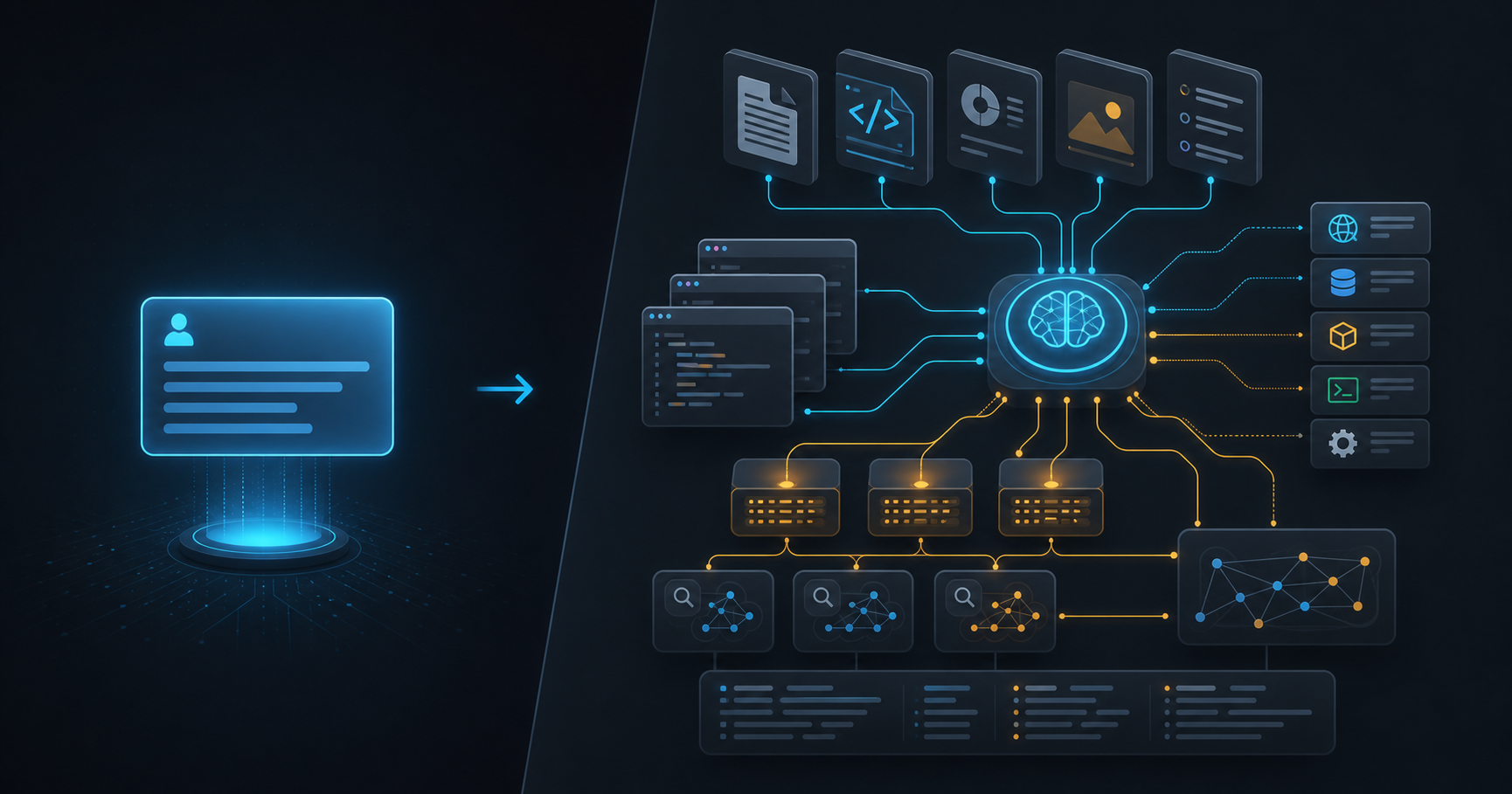
A Better Prompt Is No Longer Enough
If you use AI coding tools every day, you have probably noticed the same pattern: a clever prompt can produce a decent answer, but a well-prepared workspace produces better work again and again. That difference is the heart of context engineering.
Prompt engineering is about writing a better request. Context engineering is about designing the environment around that request: repository rules, documentation, file maps, examples, tests, tools, logs, previous decisions and the commands that prove the change works.
This matters because modern AI tools are no longer only chat boxes. Codex, Claude Code, Copilot-style agents and MCP-connected assistants can read files, call tools, run commands and edit real code. When an agent can act, the quality of its context becomes as important as the quality of your prompt.
Prompt Engineering Is the Message
Prompt engineering still matters. A vague request like "improve this component" leaves too many choices open: improve accessibility, performance, naming, styling, state management, tests or all of them at once?
A useful prompt names the outcome, the boundaries and the verification. It tells the model what to change, what to preserve and how to know when it is done.
Add keyboard navigation to this dropdown component.
Keep the existing visual design and public props.
Reuse the current accessibility helpers if they exist.
After editing, run npm run lint and npm run typecheck.
List any remaining risk before finishing.
That prompt is much better than "fix accessibility", but it still depends on what the agent can see. If it does not know where helpers live, which design system is used or that text must be translated, it can still make a plausible but wrong change.
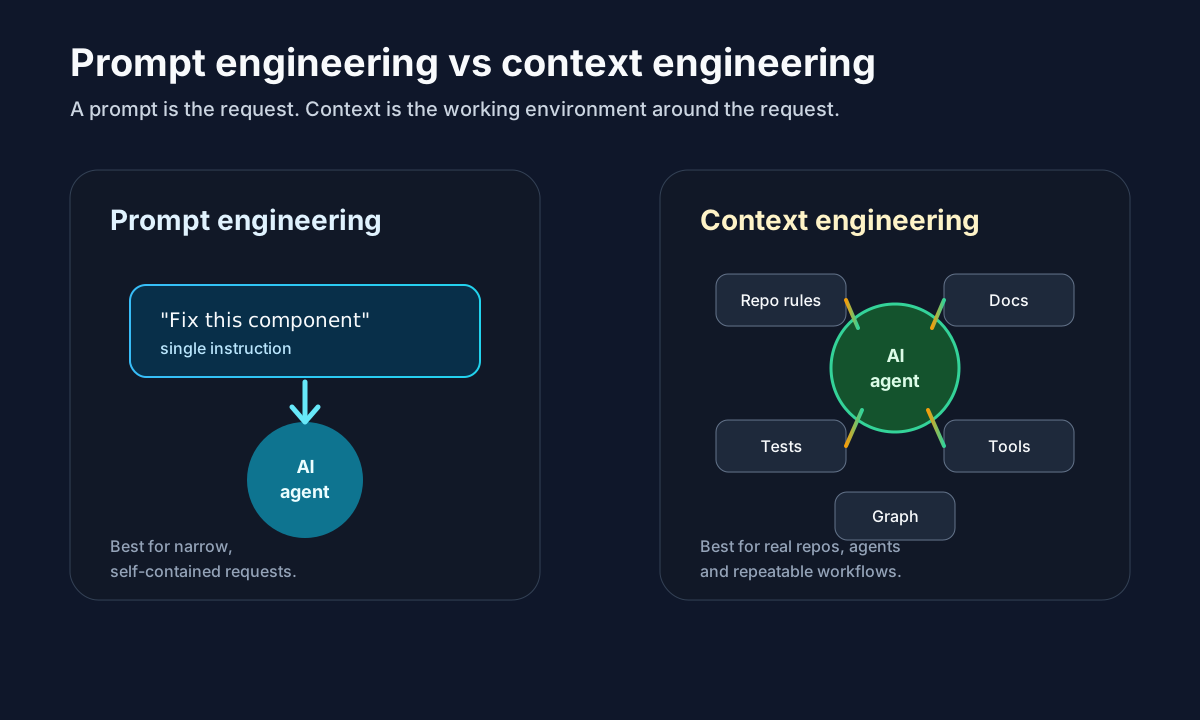
A prompt is one message. Context engineering gives the agent a working system around that message.
Context Engineering Is the Workspace
Context engineering asks a broader question: what should the agent know before it starts working? In a real project, the answer usually includes the stack, folder structure, coding conventions, i18n rules, testing commands, deployment constraints, privacy rules and examples of similar work.
A good context layer turns hidden project knowledge into explicit instructions. Instead of explaining the same rules in every chat, you keep them in files like AGENTS.md, CLAUDE.md, .github/copilot-instructions.md, rules/Context.md or project documentation.
Before code changes, read rules/Context.md.
User-facing text must be translated in en, es, fr, de, it, nl and pt.
Blog content lives in src/content/blog/posts with YAML frontmatter.
Run npm run lint and npm run typecheck before finishing.
Do not remove analytics, ads or consent components when editing layouts.
This is not just documentation for humans. It is operational context for AI agents.
Graphify as Context, Not Just Documentation
Tools like Graphify are interesting because they move context beyond loose files. Instead of asking an agent to search blindly, Graphify can build a project graph that connects files, concepts, routes, docs and relationships.
That changes the workflow. A normal prompt says, "find how the blog works". A context-engineered workflow can ask the graph first: where are blog posts stored, which page renders them, which i18n files power the changelog and which scripts generate routes?
Use the project graph to answer first:
- Which files define the blog data model?
- Which routes render blog list and blog detail pages?
- Which documentation files define blog publishing rules?
Then edit only the files needed for the requested change.
This reduces random exploration. It also makes the agent's first pass more accurate because the context is structured around relationships, not just keyword matches.
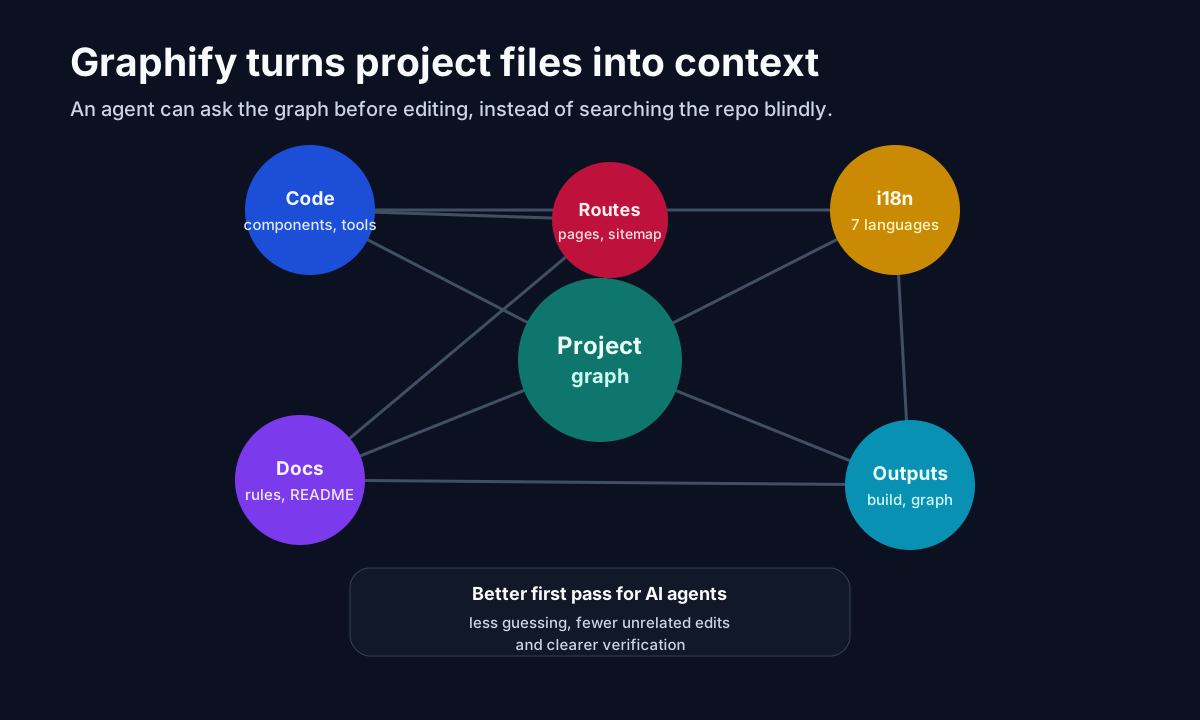
A graph gives the agent a map of relationships before it starts editing.
A Practical AI Development Loop
Context engineering works best when paired with a loop. The agent should not only receive context; it should use that context, make a small change, verify it and respond to evidence.
A practical loop looks like this:
1. Read the project rules and relevant graph/docs.
2. Identify the smallest set of files to change.
3. Implement the change.
4. Run lint, typecheck, tests or screenshots as appropriate.
5. Use failures as the next prompt.
6. Summarize the diff and remaining risks.
This is where context engineering and loop engineering meet. The context tells the agent how the project works; the loop forces it to prove the change is still healthy.
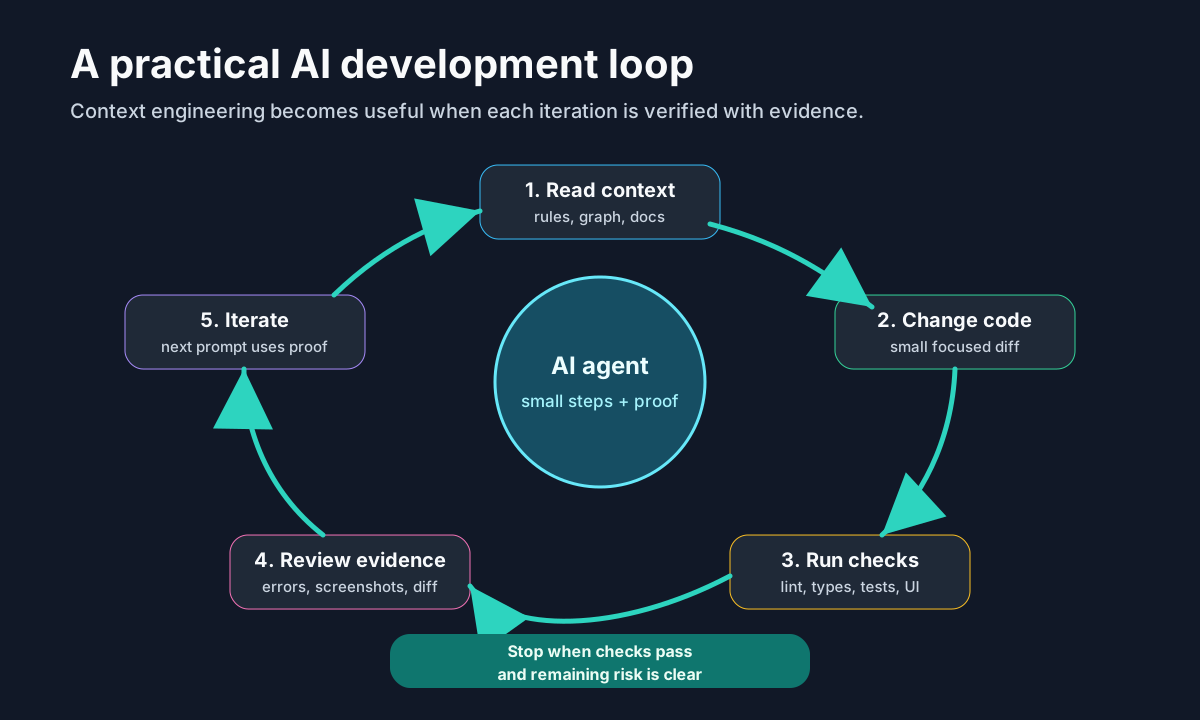
The loop turns context into a repeatable engineering process.
What Belongs in Good Context
Good context is not "paste the whole repo into the model". Too much irrelevant material can make the answer worse. The goal is to provide the smallest useful map.
Include project-level rules: stack, folder structure, i18n policy, SEO constraints, monetization rules, security boundaries and commands. Include examples: a similar component, a previous post, a test pattern or a known route. Include verification: what must pass before the task is done.
⚠️ Warning: More context is not always better. Context should be selected, current and relevant. Old docs, stale examples and unrelated files can steer the model in the wrong direction.
Tools That Help
Context engineering can be simple or advanced. At the simple end, use repository instruction files, README sections, checklists and command scripts. At the advanced end, use graph tools, retrieval systems, MCP servers, browser automation and test runners.
Graphify helps when the question is about project structure or relationships. MCP helps when the agent needs controlled access to external systems. Playwright helps when UI behavior matters. Linters, typecheckers and test suites give the agent objective feedback.
The point is not to collect tools. The point is to turn hidden knowledge into something the agent can reliably use.
Common Mistakes
The first mistake is relying on a perfect prompt while leaving the agent blind. The second is dumping too much context without priorities. The third is forgetting verification, which lets the agent produce confident prose instead of working software.
A better approach is boring in the best way: write clear repository rules, keep docs current, expose the right files, run checks and make every iteration respond to evidence.
Resources
- OpenAI prompting guide
- GitHub Copilot repository instructions
- Anthropic Claude Code memory
- Model Context Protocol introduction
- Playwright documentation
Conclusion
Prompt engineering improves the message. Context engineering improves the system around the message. For modern AI development, the second one is what makes results repeatable.
Start small: write better repo rules, add verification commands, map your project with tools like Graphify and make the agent work in loops. That is how AI coding becomes a reliable workflow instead of a lucky answer.