
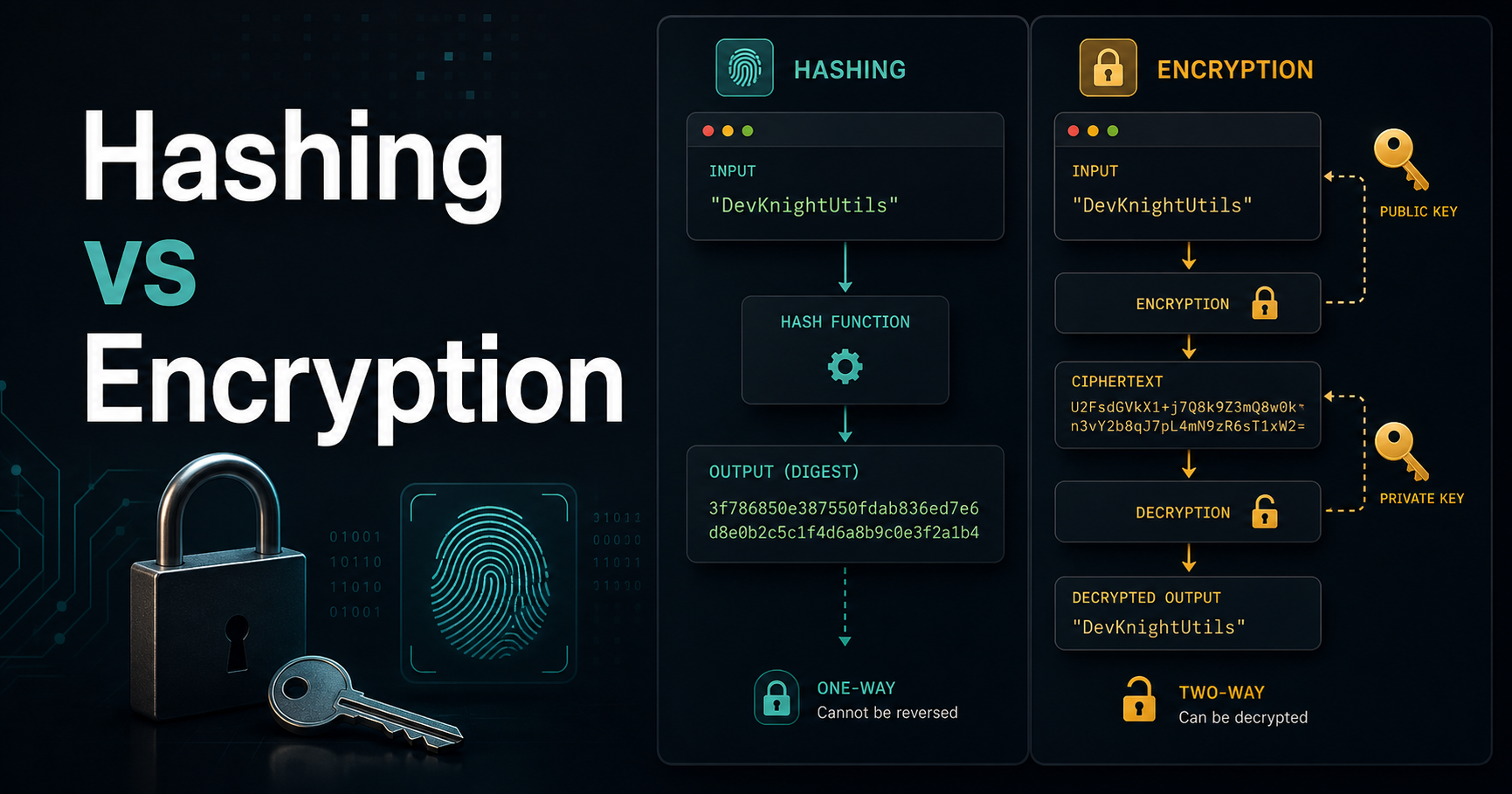
Here's a question that trips up many developers: should you hash or encrypt a user's password? If your answer is "encrypt it," your users' passwords are at risk. If your answer is "hash it with MD5," they're also at risk. The right answer requires understanding what these two operations actually do — and they're fundamentally different.
The Core Difference
Hashing is a one-way transformation. You put data in, you get a fixed-length digest out, and there's no key that reverses it:
Input:  "mysecretpassword"
SHA256: "89e01536ac207279409d4de1e5253e01ea2bf..."

Input:  "mysecretpassword" (same input, always same output)
SHA256: "89e01536ac207279409d4de1e5253e01ea2bf..."
Encryption is a two-way transformation. You encrypt with a key, and you can decrypt with a key to recover the original:
Input:     "mysecretpassword"
AES Key:   "myencryptionkey"
Encrypted: "U2FsdGVkX1+abc123..."

Decrypted: "mysecretpassword"  ← you can get back the original
When to Hash
Use hashing for data you never need to recover:
- Passwords — you never need to see the user's actual password. Store the hash, compare at login.
- File integrity — hash a file before and after transfer to verify nothing changed.
- API request signatures — HMAC-SHA256 to verify a request wasn't tampered with.
- Cache keys — hash a complex object to use as a dictionary key.
When to Encrypt
Use encryption for data you need to recover later:
- Credit card numbers stored for future charges
- API keys or secrets stored in a database
- Medical records or personally identifiable information (PII)
- Session data that must be readable by the server
The Password Mistake: Don't Encrypt, Hash
This is the most critical distinction. If you encrypt passwords:
- Your encryption key is the single point of failure
- If the key is compromised, all passwords are exposed at once
- A breach of the database AND the key = everyone's password in plaintext
If you hash passwords with a good algorithm:
- The hash can't be reversed
- Each user's hash is independent — no single point of failure
- An attacker must crack each hash individually (expensive if done right)
Why MD5 and SHA1 Are Wrong for Passwords
MD5 and SHA-1 are cryptographic hash functions designed for speed. For file integrity, speed is good. For passwords, speed is catastrophic:
MD5 on a modern GPU: ~10 billion hashes/second
Argon2 configured correctly: ~1 hash/second per user
A 10-billion-per-second attack against MD5 hashes can crack common passwords in milliseconds. That's why password hashing requires slow, memory-hard algorithms.
⚠️ Aviso: Never use MD5, SHA-1, or even plain SHA-256 to hash passwords. They are not designed for this purpose.
bcrypt and Argon2: The Right Tools
bcrypt has been the password hashing standard since 1999. It has a configurable cost factor that makes it progressively slower as hardware improves:
const bcrypt = require("bcrypt")

// Hashing (cost factor 12 = ~300ms on modern hardware)
const hash = await bcrypt.hash("userPassword123", 12)
// "$2b$12$LQv3c1yqBWVHxkd0LHAkCOYz6TtxMQJqhN8..."

// Verification (returns true/false)
const valid = await bcrypt.compare("userPassword123", hash)
Argon2 is the modern winner of the Password Hashing Competition (2015) and is preferred for new projects. It's memory-hard, which defeats GPU attacks:
const argon2 = require("argon2")

// Hash
const hash = await argon2.hash("userPassword123")

// Verify
const valid = await argon2.verify(hash, "userPassword123")
Argon2 has three variants: argon2d (GPU resistance), argon2i (side-channel resistance), argon2id (both — use this by default).
Salting: Why Hashes Are Unique Per User
Both bcrypt and Argon2 automatically add a salt — a random value unique to each hash. This means:
User A: password "cat123" → hash A
User B: password "cat123" → hash B (different!)
Without salting, two users with the same password would have the same hash, making rainbow table attacks possible. Salting defeats them. bcrypt and Argon2 handle salting automatically.
Quick Reference
| Scenario | Use |
|---|---|
| Store password | bcrypt or Argon2 |
| Verify file integrity | SHA-256 |
| Sign API requests | HMAC-SHA256 |
| Store credit card number | AES-256-GCM (encryption) |
| Generate cache key | SHA-256 or MD5 (fine here!) |
Resources
- OWASP Password Storage Cheat Sheet — The definitive guide
- Argon2 RFC — Official Argon2 specification
- bcrypt npm package — Node.js bcrypt implementation
- Crypto 101 — Free cryptography book for developers
Wrap Up
The rule is simple: if you need to get the original data back, encrypt it. If you never need to see the original (passwords, checksums), hash it — and use bcrypt or Argon2 for passwords, never MD5 or SHA-1.
Want to generate SHA-256, MD5, or other hashes right now to inspect them? Use our free Hash Generator — everything runs in your browser.