
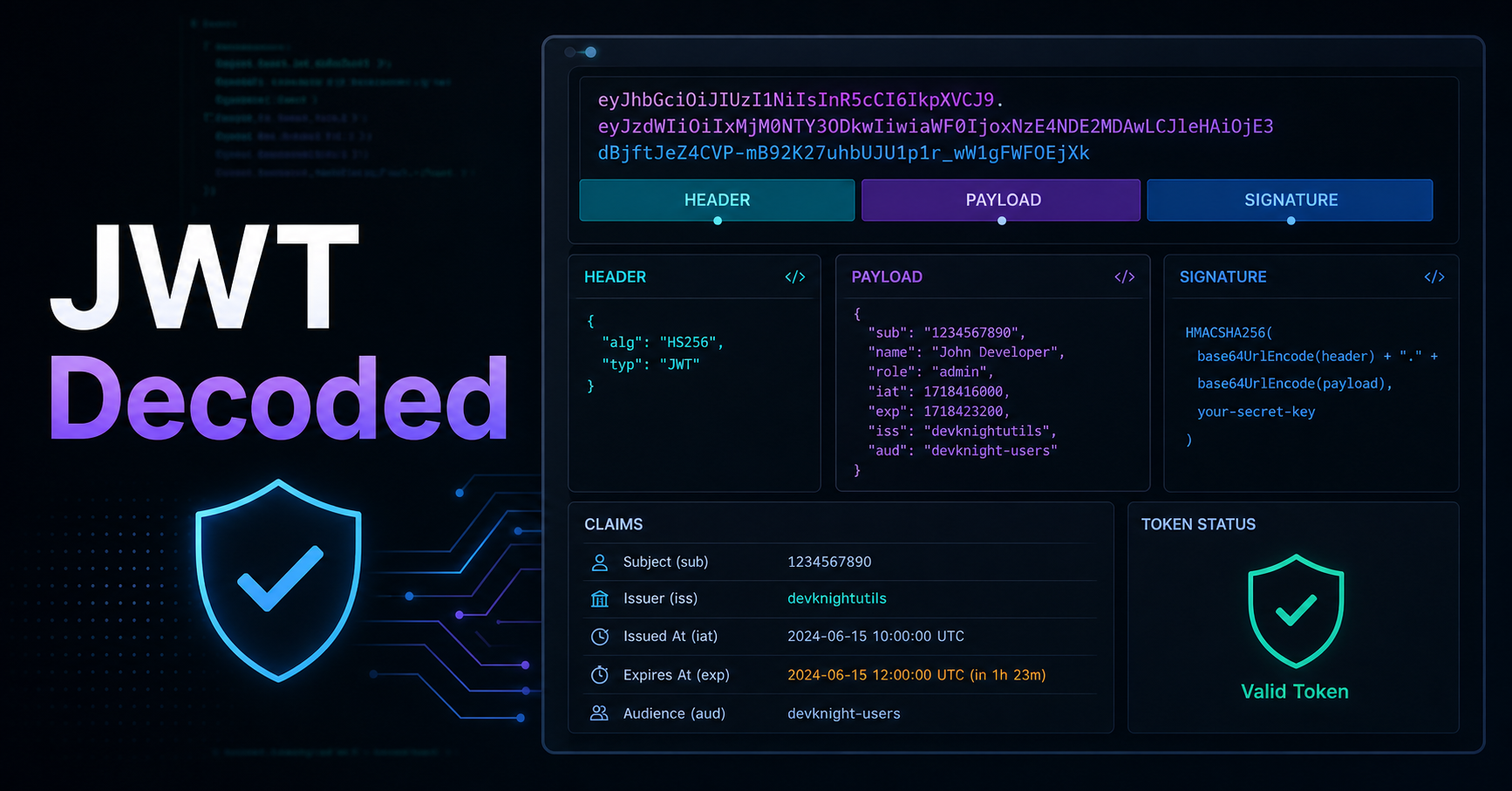
You've seen them everywhere: long strings of random-looking characters separated by two dots, passed in Authorization headers on every API request. But do you actually know what's inside a JWT? Most developers use them without fully understanding what they contain — and that's where security bugs are born.
In this post we'll open up a JWT, explain each part, and cover the common mistakes that could expose your users' data.
What Is a JWT?
A JSON Web Token (JWT) is an open standard (RFC 7519) for securely transmitting information between parties as a compact, URL-safe string. It looks like this:
eyJhbGciOiJIUzI1NiIsInR5cCI6IkpXVCJ9.eyJzdWIiOiIxMjM0NTY3ODkwIiwibmFtZSI6IkpvaG4gRG9lIiwiaWF0IjoxNTE2MjM5MDIyfQ.SflKxwRJSMeKKF2QT4fwpMeJf36POk6yJV_adQssw5c
That string is three Base64Url-encoded sections separated by dots: header, payload, and signature.
Breaking It Down
Header
The header declares the token type and the signing algorithm:
{
  "alg": "HS256",
  "typ": "JWT"
}
Common algorithms: HS256 (HMAC-SHA256, shared secret) and RS256 (RSA, public/private key pair). For APIs shared between services, prefer RS256 — the private key signs, any service with the public key can verify.
Payload
The payload contains claims — statements about the user and other metadata:
{
  "sub": "1234567890",
  "name": "Jane Doe",
  "email": "jane@example.com",
  "role": "admin",
  "iat": 1516239022,
  "exp": 1516242622
}
Key reserved claims:
sub— Subject (usually the user ID)iat— Issued At (Unix timestamp)exp— Expiration time (Unix timestamp) — always include thisiss— Issuer (your server's URL)aud— Audience (intended recipient)
⚠️ Aviso: The payload is only Base64Url encoded, not encrypted. Anyone with the token can decode and read the claims. Never store passwords, credit card numbers, or other sensitive data in a JWT payload.
Signature
The signature is what makes the token trustworthy:
HMACSHA256(
  base64UrlEncode(header) + "." + base64UrlEncode(payload),
  secret
)
The server verifies the signature on every request. If someone tampers with the payload, the signature won't match and the token will be rejected. This is the core security property of JWTs.
JWT vs Sessions: Which Should You Use?
| JWT | Sessions | |
|---|---|---|
| State | Stateless (no DB lookup) | Stateful (requires session store) |
| Revocation | Hard (token lives until exp) | Easy (delete from store) |
| Scalability | Great for microservices | Needs shared session store |
| Size | Larger (sent every request) | Small (just a session ID) |
Use JWTs when you have multiple services that need to verify identity without sharing a database. Use sessions when you need instant revocation (e.g. "log out all devices").
Common Mistakes
1. Storing JWTs in localStorage
localStorage is accessible via JavaScript and vulnerable to XSS attacks. Store JWTs in httpOnly cookies instead.
2. Not validating exp
Always check the expiration claim server-side. Don't assume your JWT library does this automatically — read the docs.
3. Using alg: none
Some early JWT libraries accepted tokens with "alg": "none" — meaning no signature verification. Never allow this algorithm in your server.
4. Huge payloads JWTs are sent on every request. Keep payloads small. Store large user data in the database and fetch it on demand.
Resources
- jwt.io — Decode and verify JWTs in the browser
- RFC 7519 — JSON Web Token — The official spec
- OWASP JWT Security Cheat Sheet — Security best practices
- Auth0 — JWT Introduction — Great visual explainer
Wrap Up
JWTs are powerful but misunderstood. The key takeaways: always include exp, never store sensitive data in the payload, use httpOnly cookies for storage, and verify the signature server-side every time.
Ready to inspect a JWT from your own app? Paste it into our free JWT Decoder to see the header and payload decoded instantly — no server, no data sent anywhere.